
RGB CRM
RGB CRM
From lead to quote, from quote to e-invoice; collections, cash-bank, staff reports and permissions on one screen. Your sales team oversees the whole process.
Request a Free Demo Explore Modules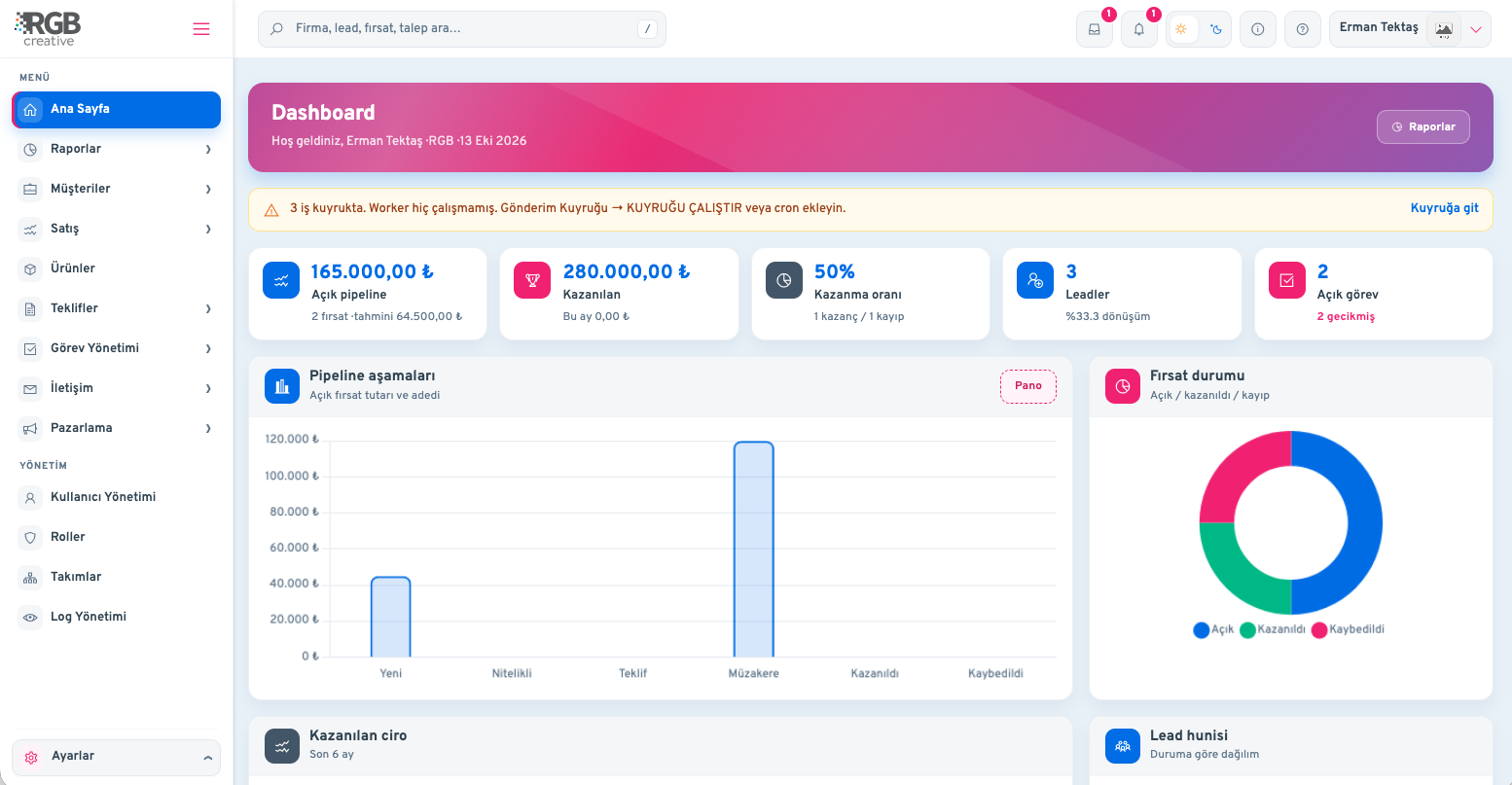
Nobody is sure which quote was sent and which one was accepted.
The customer was supposed to be called, but wasn't; the opportunity went to a competitor.
Invoices in one place, collections in another; cash and bank are tracked separately.
It is unclear who sold how much and whose work is overdue.
Quote, order and e-invoice in one flow; collections post to cash or bank.
Prospect record, source and consent.
Customer card and contact.
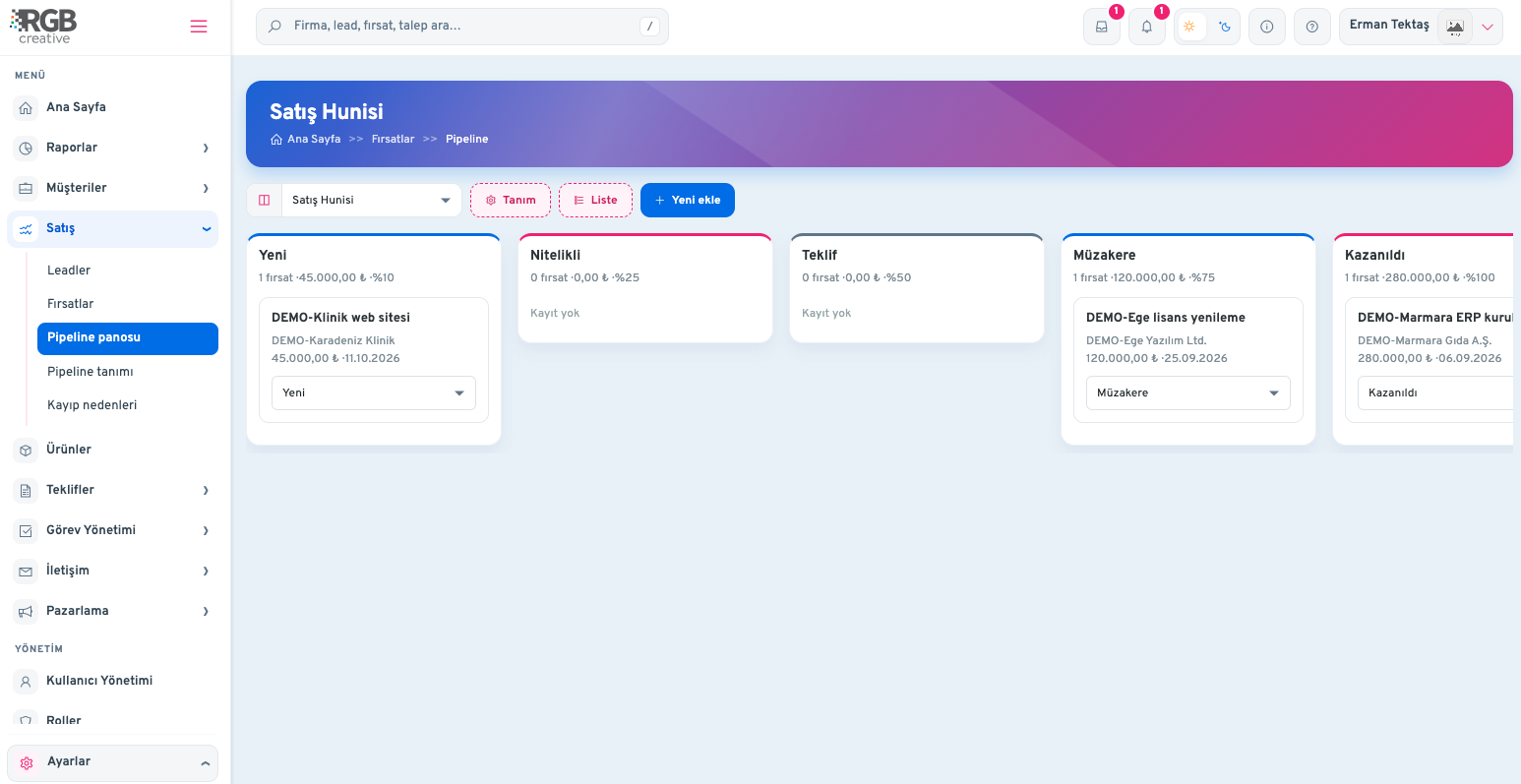
Amount moves in the pipeline.
Lines prepared and sent.
Accepted work is recorded.
E-invoice goes to the tax office.
Money is posted to cash or bank.
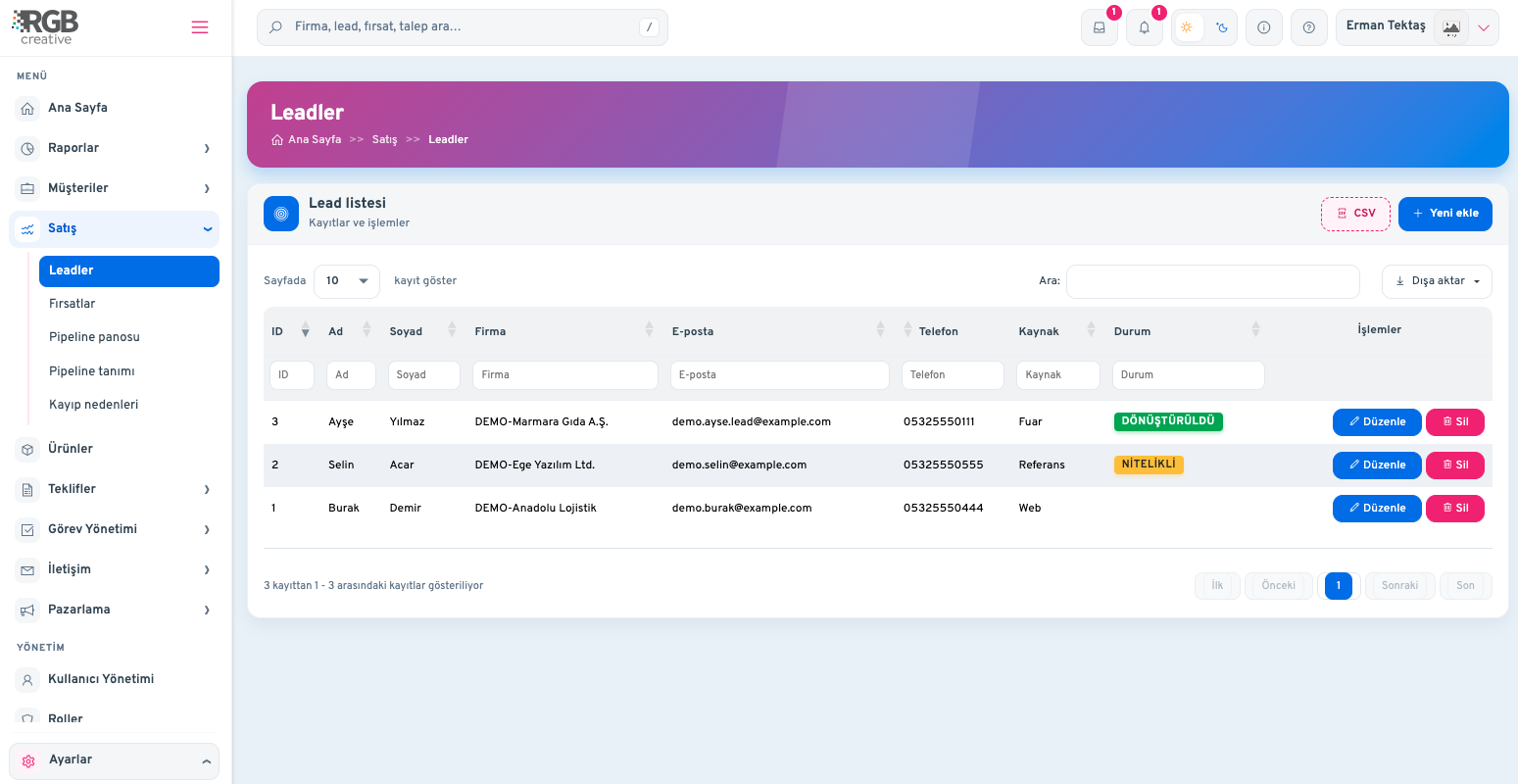
The full sales process from prospect to quote and online meeting.
Record prospects with source, score and consent; convert the right ones into opportunities.
Phone, email, contact, quotes, invoices and balance on one card.
Track deals stage by stage; log loss reasons and see win rates.
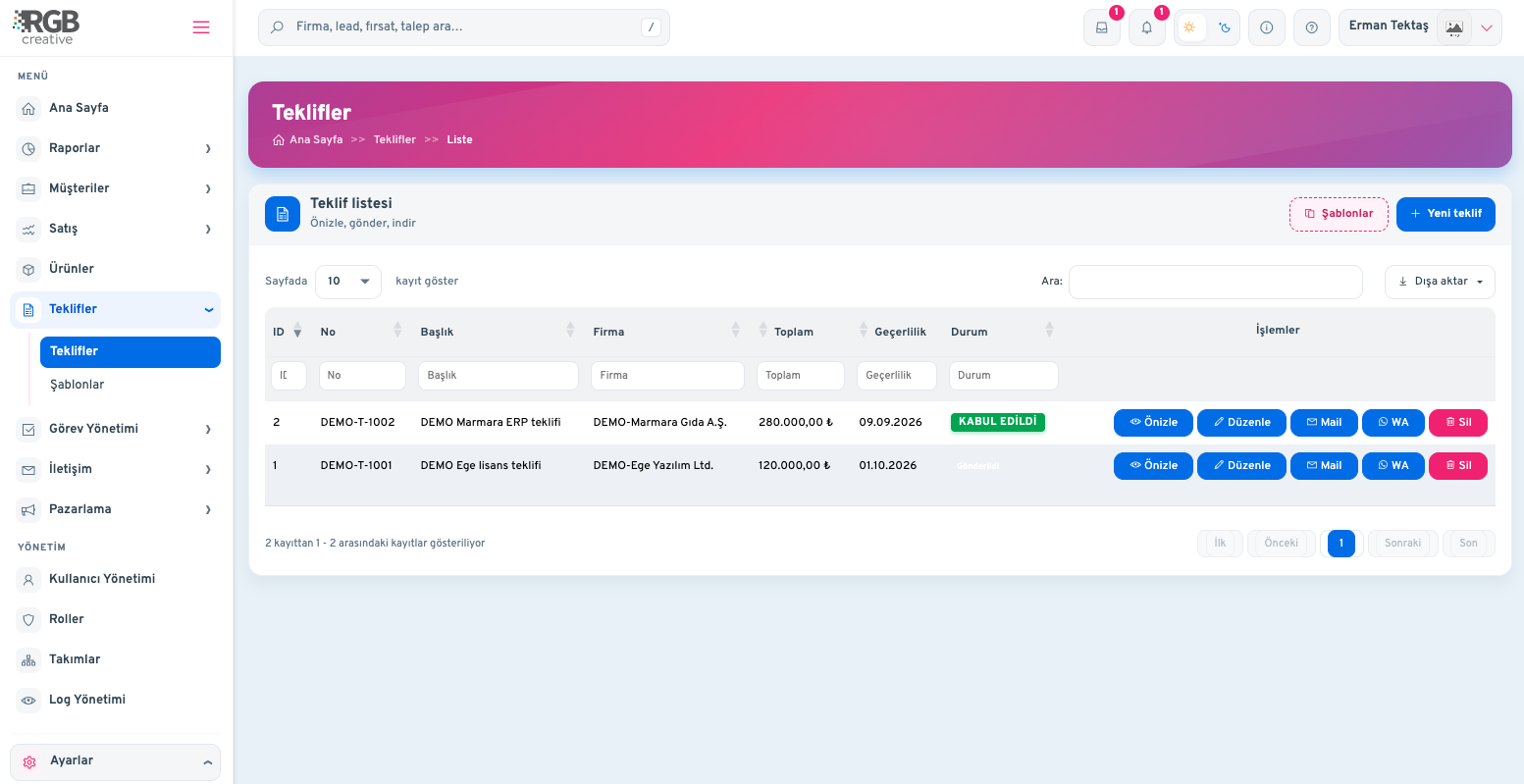
Build quotes from your catalog; reuse templates instead of rewriting the same text.
Turn accepted work into orders; manage contract drafts in the same flow.
Create a meeting link, send it to recipients and run sales calls from the panel.
Income-expense, cash-bank and GİB e-invoice in one panel.
Turnover comes from sales invoices; keep purchase invoices separate to see costs clearly.
Send sales invoices to the tax office (GİB) and pull incoming invoices into the panel.
Record money in and out; outstanding receivables update automatically.
Track cash, bank accounts, statements and cheques/notes in one place.
Document shipments with waybills; manage incoming and outgoing GİB waybills.
Watch companies over the balance threshold and see email/SMS reminders.
Sales oversees processes; staff reports, scoring and permissions are at hand.
The department monitors the whole flow from lead to invoice; overdue work is visible at once.
See who sent how many quotes, closed how many deals and which tasks are late — per person.
Score team performance so targets and results stay transparent.
Define clearly who can view or edit each module with user roles.
Tasks, activities, reminders and calendar make ownership and deadlines clear.
Send email/SMS campaigns; set rules that message automatically when events fire.
Local and fully in Turkish
GİB e-invoice integration
Role-based permissions
Staff reports and scoring
Setup and data migration by us
Quotes via WhatsApp and email
Including the migration of your data, it is usually ready to use within a few business days.
Yes. We import your Excel/CSV file; the panel also has CSV import.
Yes. You can send sales invoices to the tax office (GİB) and pull incoming invoices into the panel.
User and role definitions set who can view or edit each module; not everyone sees every list.
Yes. You can pull staff-based sales and work reports and score your team.
Yes. You can create a meeting link, send it to recipients and organise sales calls from the panel.
It depends on your package; you can upgrade as your needs grow.
Please contact us for detailed information.
